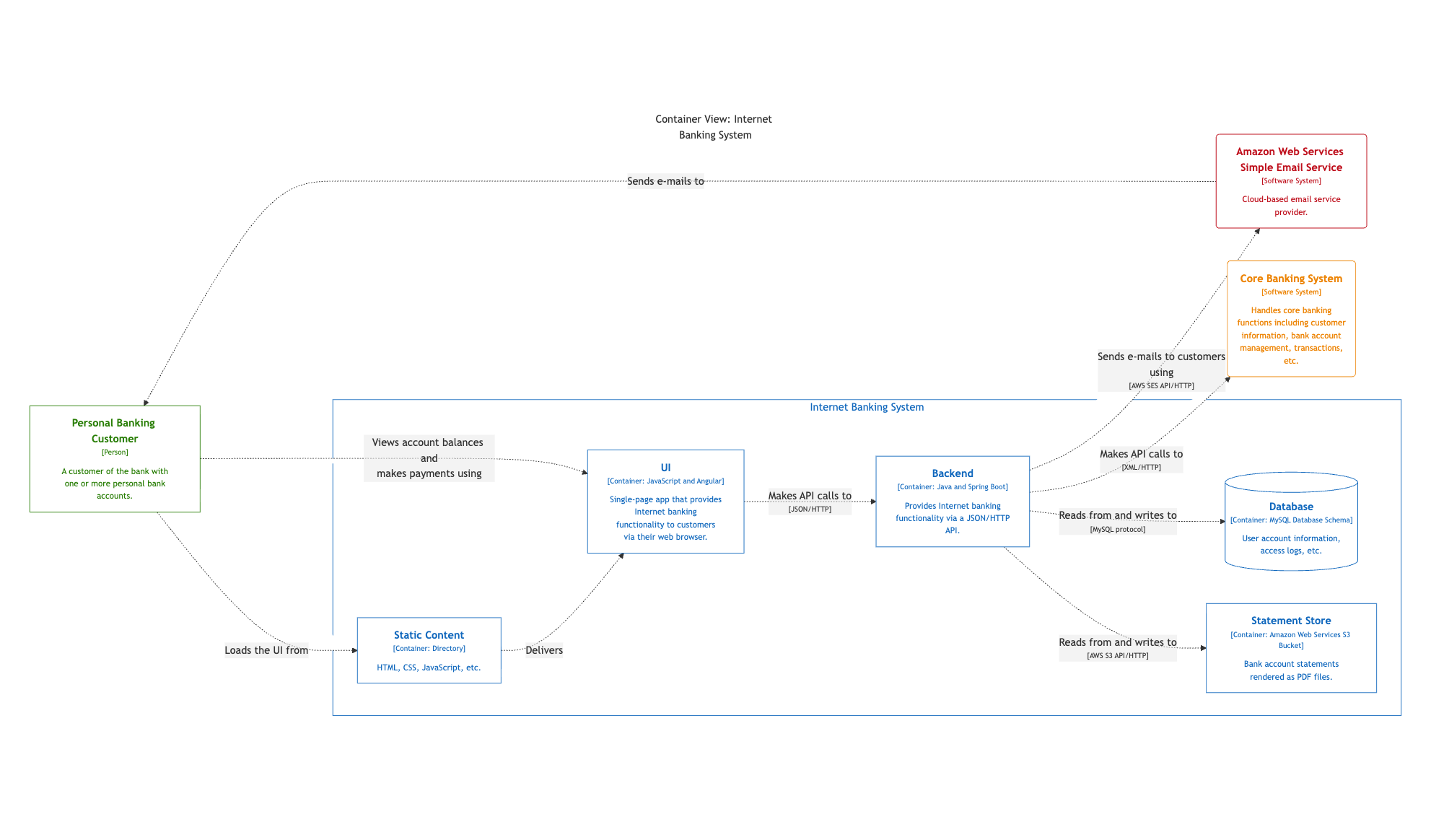
4. Create with DSL, export to PlantUML/Mermaid
- Create and edit workspaces on your computer using the Structurizr DSL and a text-editor/IDE.
- Store the
workspace.dslandworkspace.jsonfiles in version control (e.g. git). - export the workspace to PlantUML or Mermaid.
- Share diagrams via your existing documentation workflow (e.g. GitHub Markdown, Confluence, etc).
Summary
- Workspace editing:

 (all Structurizr DSL features are available, workspaces are stored in version control, slower feedback because an export step is required before diagrams can be rendered with PlantUML/Mermaid)
 - Diagram viewing: (static diagrams, automatic layout only, diagram look and feel is basic when compared to the Structurizr diagram viewer)
Benefits
- Workspace editors can use the full set of Structurizr DSL features because the Structurizr DSL parser runs on their computer.
- The
workspace.dslandworkspace.jsonfiles can easily be stored in version control. - Multiple PlantUML/Mermaid diagrams can be created from a single Structurizr DSL file, thereby keeping all diagrams in sync when Structurizr DSL changes are made.
- Automatic diagram layout.
- Mermaid diagrams are rendered automatically in many tools, for example in GitHub
README.mdfiles.
Considerations
- Workspace editors require Docker or Java 21+ installed to run export.
- Doesn’t require the Structurizr server to be installed.
- The PlantUML and Mermaid diagrams don’t look as polished as those rendered by the diagram viewer found in
localandserver. - PlantUML/Mermaid diagrams are static, so there is no “double-click to zoom” feature, no tooltips, etc.
- Diagram layout cannot be modified.
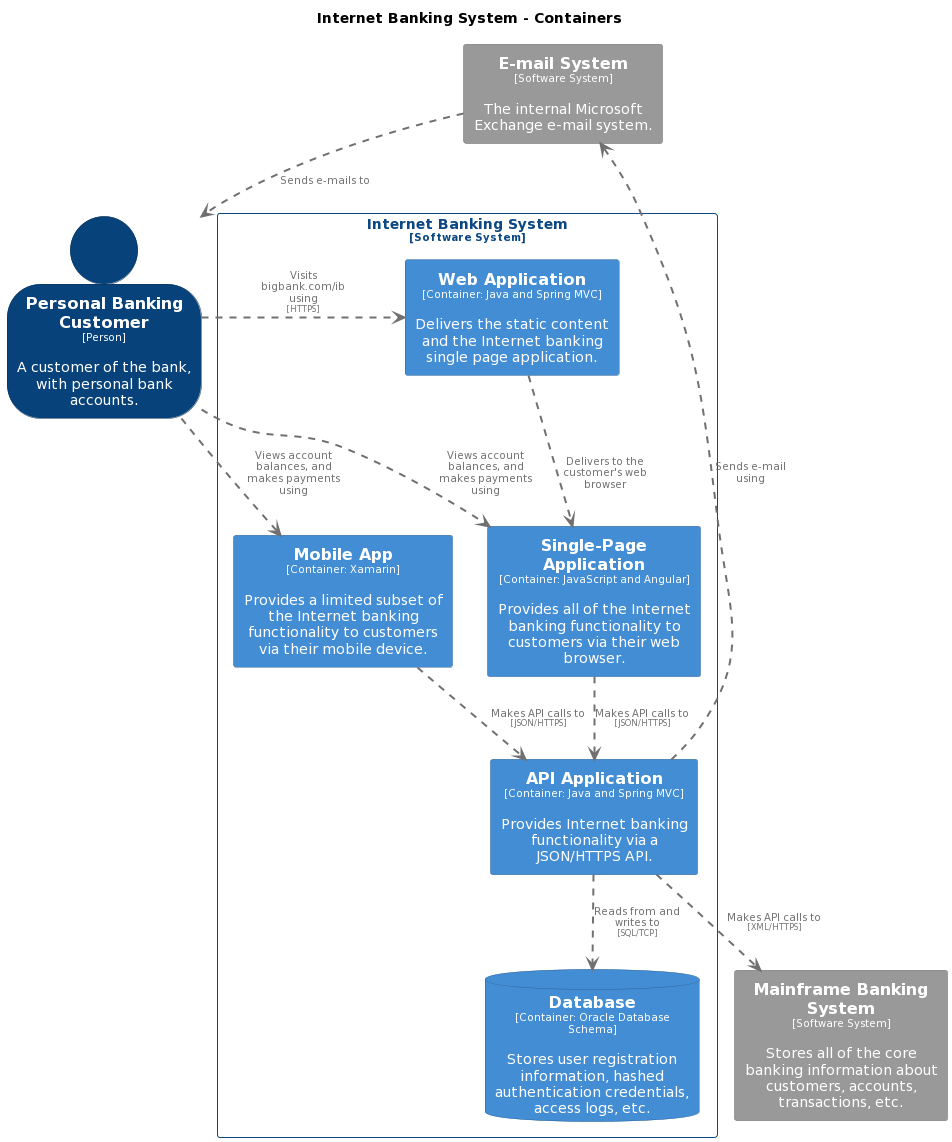
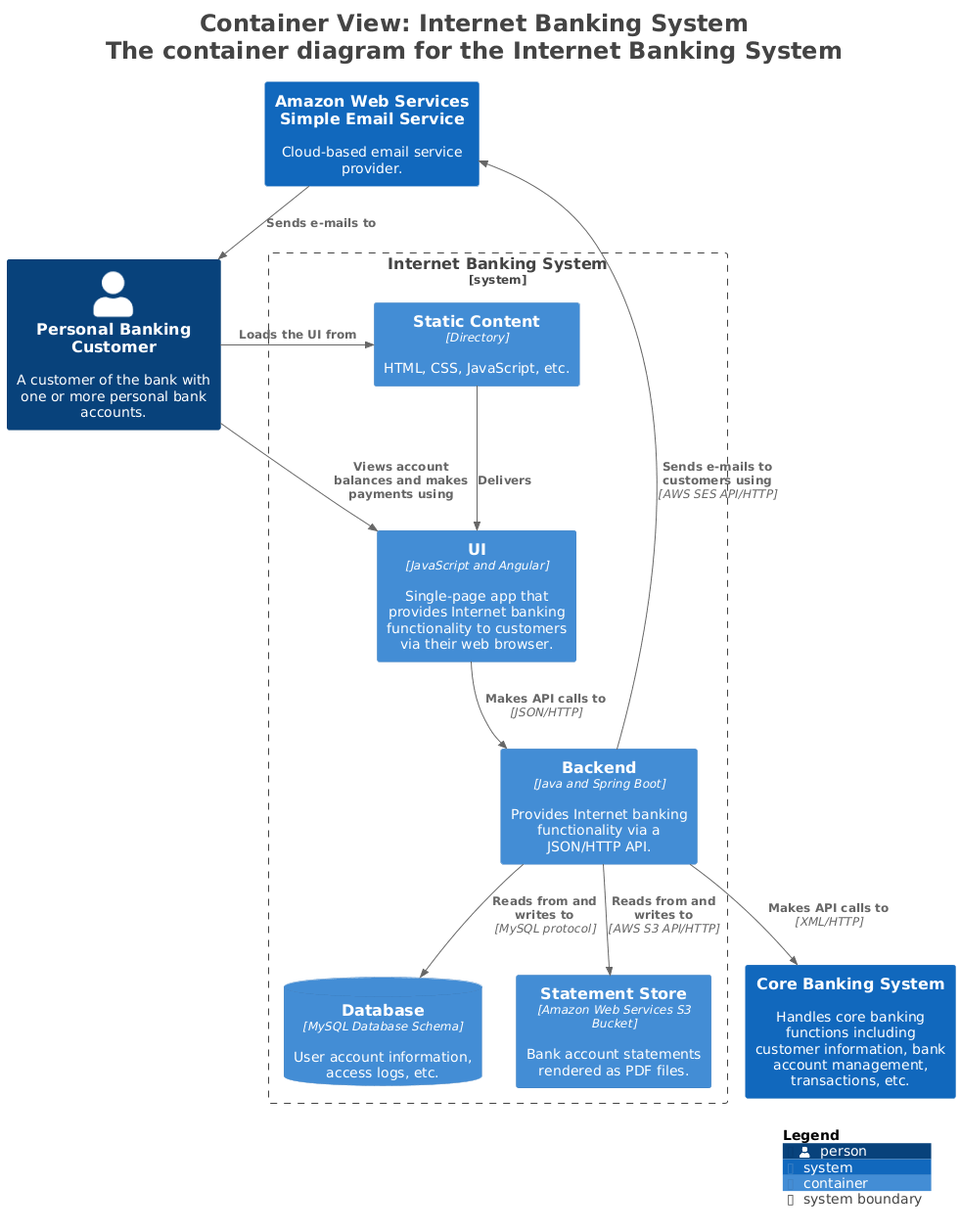
PlantUML examples
Mermaid example