MCP server
A free and open source Structurizr MCP server is available on GitHub. It runs standalone and supports stateless HTTP transport.
Tools
-dsl
Validate Structurizr DSL
- Parameters:
- DSL (required)
- Returns “OK” if the DSL is parseable, or an error message otherwise
Parse Structurizr DSL
- Parameters:
- DSL (required)
- Returns a JSON workspace, or an error message if the DSL can’t be parsed
Inspect Structurizr DSL
- Parameters:
- DSL (required)
- Returns a list of inspection violations
-mermaid
Export view to Mermaid
- Parameters:
- DSL (required)
- View key (required)
- Returns a Structurizr view exported as Mermaid
-plantuml
Export view to PlantUML
- Parameters:
- DSL (required)
- View key (required)
- Returns a Structurizr view exported as PlantUML
Export view to C4-PlantUML
- Parameters:
- DSL (required)
- View key (required)
- Returns a Structurizr view exported as C4-PlantUML
-server-create
Create workspace on a Structurizr server
- Parameters
- Structurizr server URL (required)
- API key (not required if running the server with authentication disabled)
- Returns a Structurizr workspace metadata object (workspace name, description, ID, API key, etc)
-server-read
Get workspace from a Structurizr server
- Parameters:
- Structurizr server URL (required)
- Workspace ID (required)
- API key (not required if running the server with authentication disabled)
- Returns a Structurizr workspace
Get all workspaces from a Structurizr server
- Parameters:
- Structurizr server URL (required)
- Admin API key (not required if running the server with authentication disabled)
- Returns a collection of Structurizr workspaces
-server-update
Update a workspace on a Structurizr server
This will update the workspace with the supplied DSL, merging layout information from the server version of the workspace.
- Parameters
- Structurizr server URL (required)
- Workspace ID (required)
- API key (not required if running the server with authentication disabled)
- DSL (required)
- Returns true if the workspace was updated
-server-delete
Delete workspace from a Structurizr server
- Parameters
- Structurizr server URL (required)
- Workspace ID (required)
- API key (not required if running the server with authentication disabled)
- Returns true if the workspace was deleted
mcp.structurizr.com
An instance of the MCP server is running at mcp.structurizr.com, with the DSL, PlantUML, and Mermaid tools enabled. If you’d like to use this, just create a connector to https://mcp.structurizr.com/mcp in your AI agent.
Running
A prebuilt Docker image is available on Docker Hub:
docker pull structurizr/mcp
docker run -it --rm -p 3000:3000 -e PORT=3000 structurizr/mcp <parameters>
The following parameters are supported:
-dsl: Enable DSL tools.-server-create: Enable Structurizr server create tools.-server-read: Enable Structurizr server read tools.-server-update: Enable Structurizr server update tools.-server-delete: Enable Structurizr server delete tools.-plantuml: Enable PlantUML exporter.-mermaid: Enable Mermaid exporter.
Themes
The prebuilt themes are included in the Docker image, and can be “installed” via an environment variable:
-e STRUCTURIZR_THEMES=/usr/local/structurizr-themes
Building and running from source
Prerequisites:
- Java 21
To build:
git clone https://github.com/structurizr/structurizr.git
cd structurizr
./mvnw -Dmaven.test.skip=true package -am -pl structurizr-mcp
If successful, there will be a structurizr-mcp-1.0.0.war file in structurizr-mcp/target.
java -jar structurizr-mcp/target/structurizr-mcp-1.0.0.war <parameters>
To change the port number:
java -Dserver.port=3000 -jar structurizr-mcp/target/structurizr-mcp-1.0.0.war <parameters>
To create a Docker image:
docker build . -f structurizr-mcp/Dockerfiles/eclipse-temurin-alpine -t structurizr-mcp
Claude Desktop configuration
{
  ...
  "mcpServers": {
    "structurizr-mcp": {
      "command": "npx",
      "args": ["mcp-remote", "http://localhost:3000/mcp"]
    }
  }
  ...
}
(Claude Desktop doesn’t permit http transport, so you’ll need to use mcp-remote or similar that bridges stdio to a remote MCP server)
Example
load the Structurizr workspace 123 from the server running at http://localhost:8080
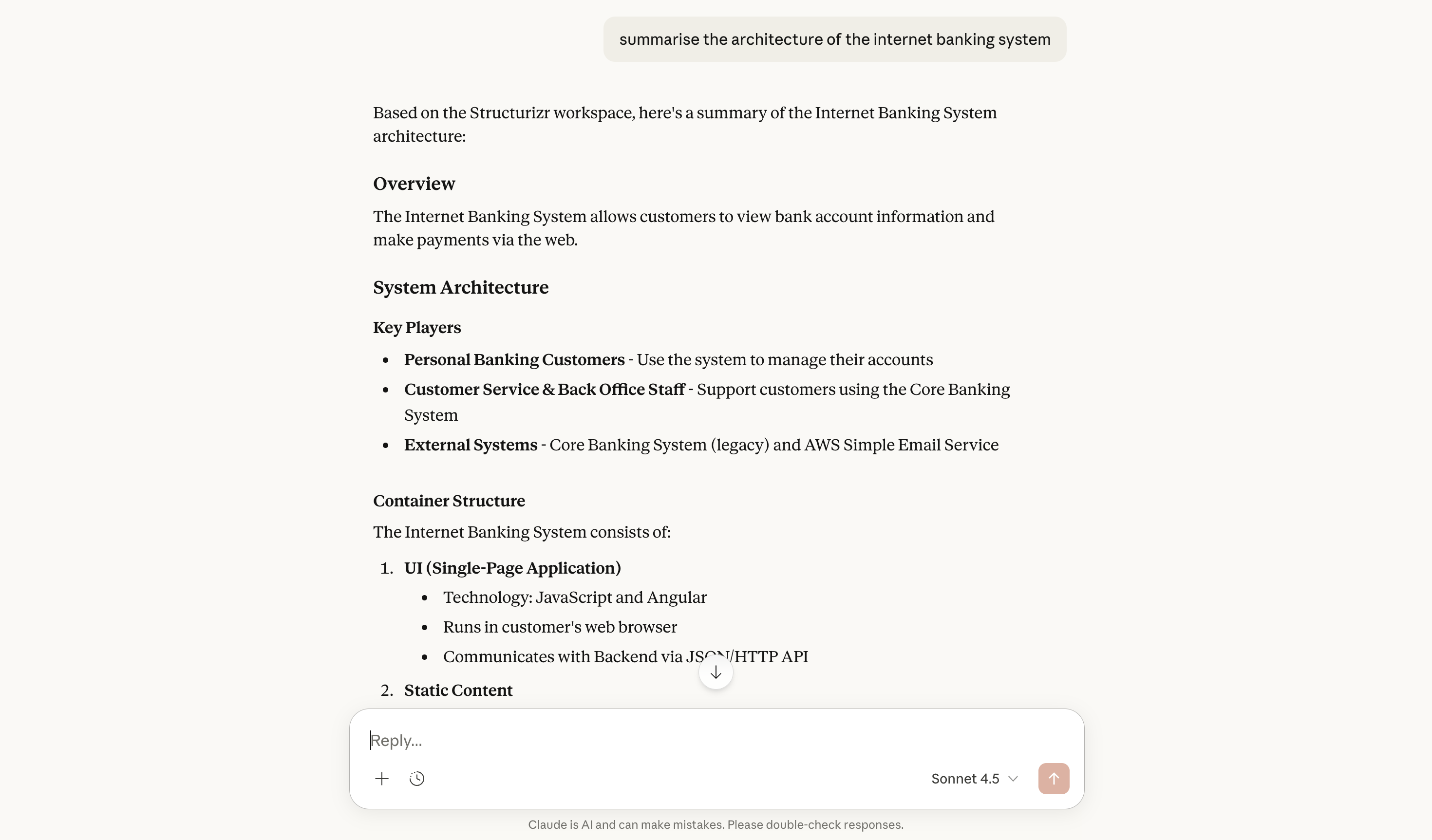
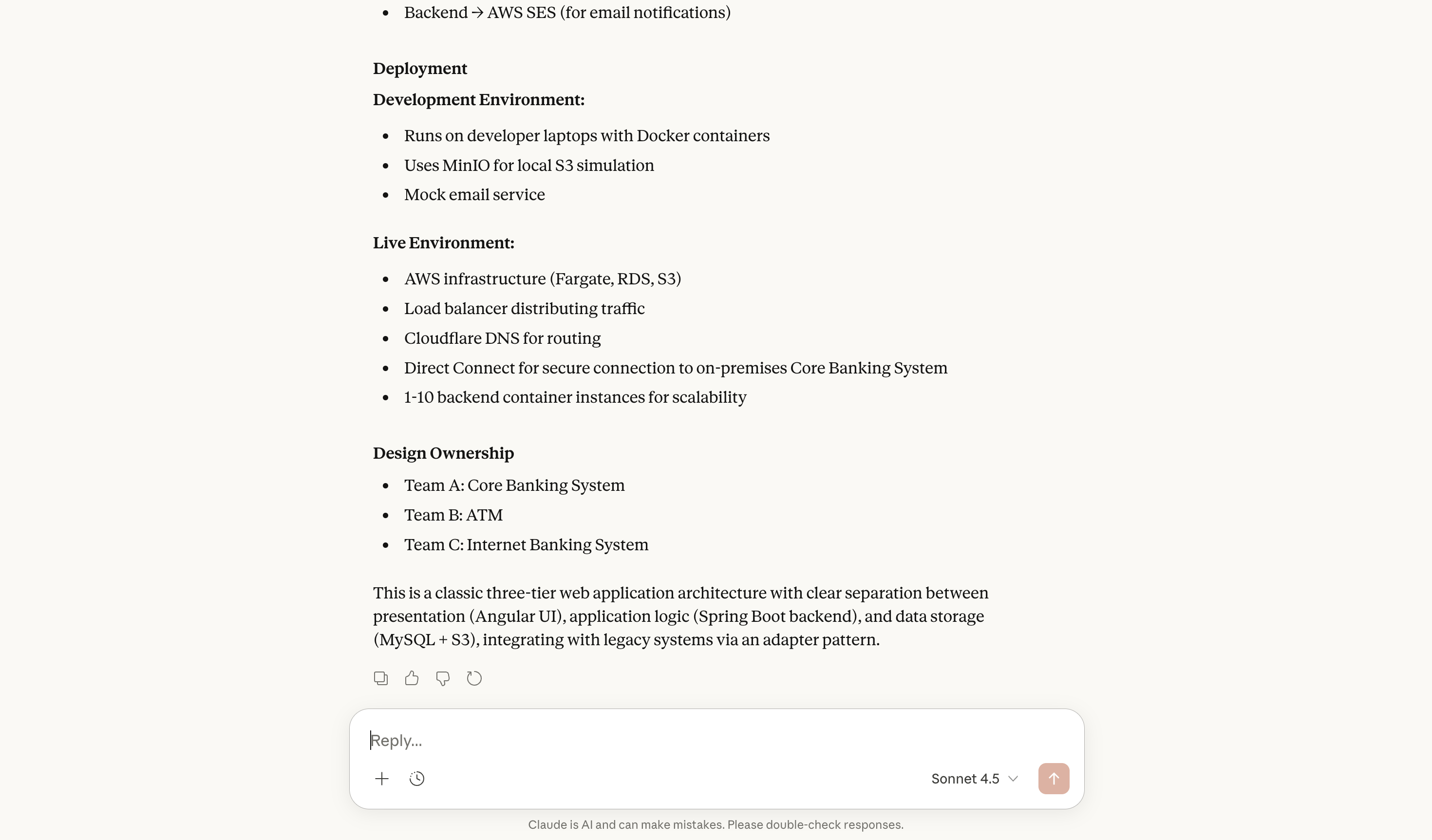
summarise the architecture of the internet banking system